The workspace
Document work, beautifully organized.
Twenty-three tools live in one calm interface, from everyday PDF edits to AI splitting, signature requests, and tracked distribution.
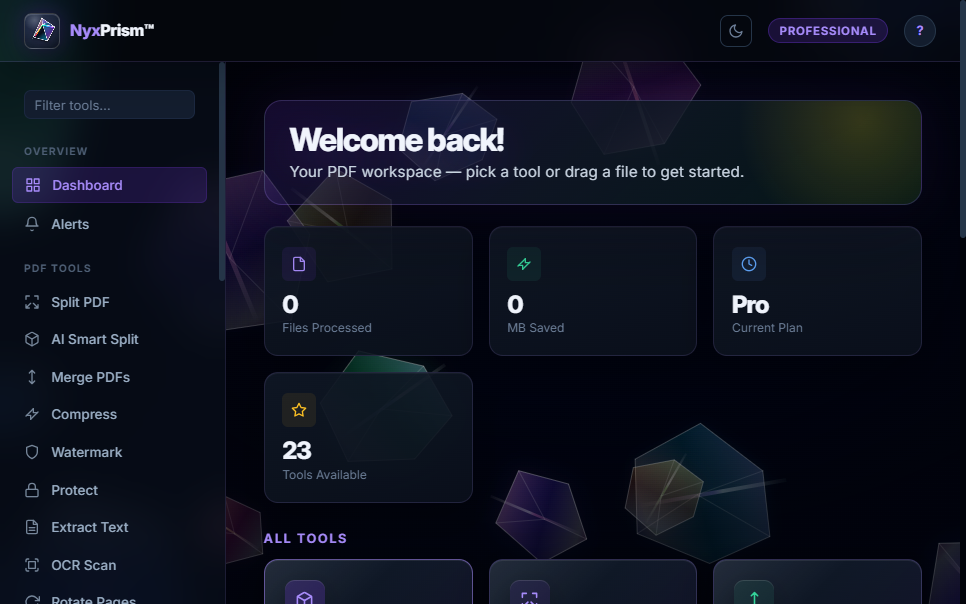
Drop in a stack of scans and let AI split it into neatly named documents in seconds. Send contracts for e-signature and get them back sealed with a certificate of completion. Every other PDF job, from merging to redacting, runs right in your browser, so your files stay yours.
Twenty-three tools live in one calm interface, from everyday PDF edits to AI splitting, signature requests, and tracked distribution.
The Professional tier ships with NyxPrism UI - a full TUI built on Textual. Every operation is a guided form. No command memorisation required.
Live backgrounds you can play with: shatter a floating prism, pop a bubble, or use your own photo. Pick a theme, accent color and button glow.
No configuration files. No setup wizards. Drop a PDF in, get organized files out.
Feed NyxPrism any multi-document PDF - a day's worth of scanned mail, a stack of contracts, or an invoice run. One file, any size.
The heuristic engine (or GPT-4o-mini with your API key) reads each page, detects where one document ends and the next begins, and generates a descriptive file name for each.
The output folder fills with individually named PDFs - NDA_Acme_Corp.pdf, Invoice_0042.pdf, Q1_Report.pdf. Ready to file, email, or archive.
One install handles everything. No juggling multiple tools or online converters.
ai-splitAIDetect & split batch scansai-renameAIRename files by contentai-summarizeAIGenerate document summariesai-classifyAIDetect document typeai-extract-infoAIPull structured JSON datasplitBy pages, ranges or sizemergeCombine multiple PDFsinterleaveOdd/even scan assemblyrotateRotate selected pagesreorderRearrange page orderdelete-pagesRemove specific pagesto-imagesRender pages as PNG/JPEGfrom-imagesAssemble images to PDFcompressShrink file sizeextract-textPull selectable textocrTesseract OCR on scansprotectPassword-encrypt PDFsunlockRemove protectionwatermarkText or image overlayEdit, automate, sign, and share from one connected workspace.
Merge, split, rotate, reorder, number, annotate, and rebuild pages without sending the file to another service.
Find document boundaries inside large batch scans, then create clean, descriptively named files in one pass.
Place recipient fields, send sequential requests, track completion, and retain a tamper-evident audit record.
Share expiring document links with individuals or recipient batches and monitor opened or failed delivery states.
Recover text from scans, create searchable PDFs, and move cleanly between PDF, image, and text formats.
Encrypt sensitive documents, apply watermarks, flatten forms, and permanently remove confidential regions.
Concatenate PDFs with bookmarks, or interleave odd/even scans into a perfect double-sided document.
Shrink bloated PDFs using FlateDecode stream compression and configurable JPEG image re-encoding.
Extract text from image-only scans. AI analysis automatically triggers OCR on blank pages so nothing is missed.
Render every page as PNG/JPEG, or assemble a stack of images back into a clean PDF with a single command.
Text watermarks with configurable opacity and rotation, applied uniformly across every page in a single pass.
Password-encrypt sensitive documents with user/owner passwords, or remove protection from existing PDFs.
From solo developers to enterprise automation pipelines.
Extract key dates and parties from contracts automatically. Classify incoming documents and route them to the right folder instantly.
Pull amounts, invoice numbers, and vendor names from invoices as JSON. Automate the data entry nobody wants to do.
Turn a pile of unnamed scans into a perfectly organized archive with a single ai-rename command.
Summarise dense papers, extract citations and dates, and split multi-paper batch scans from the copier.
Split bulk scan exports into individual patient documents, extract key info, and apply compliant watermarks or passwords.
Drop NyxPrism into any Python pipeline or shell script. Scriptable, composable, and library-friendly with a clean Python API.
Start free, upgrade when the workflow matters, or bring NyxPrism into a full organization.
The essentials before you get started.
No. AI Smart Split in the web dashboard is powered by Claude (Anthropic) - no configuration needed on your end. The CLI tool also has a built-in heuristic engine that runs with no API key and no cost.
Everyday editing tools run in your browser. Cloud AI, signature requests, and document distribution send only the content needed for the workflow you choose. See our Privacy Policy for full details.
Edit, organize, convert, OCR, redact, protect, sign, and distribute PDFs from one visual workspace. AI tools are available when you need deeper document analysis.
Only for the ocr command or AI analysis of image-only scanned PDFs. Install separately (sudo apt install tesseract-ocr on Linux, brew install tesseract on macOS). For PDFs with a selectable text layer, OCR is not needed.
Yes. Every command has a corresponding Python function. Import from nyxprism.core.* and nyxprism.ai.* to integrate directly into your own scripts and applications.
Automate PDF workflows from your own code with the NyxPrism REST API - authenticated by the keys you generate in the dashboard.
Generate an API key from your dashboard, then call the same backend that powers the web app - with full subscription gating and per-key tracking.
nyx_<64 hex chars> - never exposed after generationBase URL: https://nyxprism-production.up.railway.app
Authentication: Authorization: Bearer nyx_...
Free account, no credit card required. Start automating your PDF workflows today.