NyxPrism™ is the professional AI-powered PDF toolkit that auto-splits batch scans, renames files by content, summarizes documents, and extracts structured data. Runs from an elegant terminal interface or as a scriptable Python library.
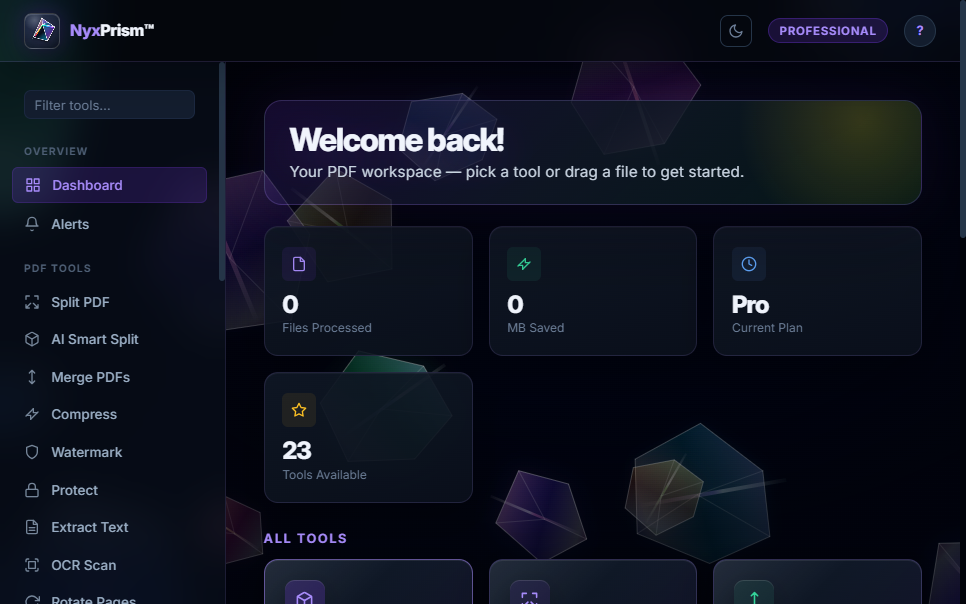
The Professional tier ships with NyxPrism UI — a full TUI built on Textual. Every operation is a guided form. No command memorisation required.
No configuration files. No setup wizards. Drop a PDF in, get organised files out.
Feed NyxPrism any multi-document PDF — a day's worth of scanned mail, a stack of contracts, or an invoice run. One file, any size.
The heuristic engine (or GPT-4o-mini with your API key) reads each page, detects where one document ends and the next begins, and generates a descriptive file name for each.
The output folder fills with individually named PDFs — NDA_Acme_Corp.pdf, Invoice_0042.pdf, Q1_Report.pdf. Ready to file, email, or archive.
One install handles everything. No juggling multiple tools or online converters.
ai-splitAIDetect & split batch scansai-renameAIRename files by contentai-summarizeAIGenerate document summariesai-classifyAIDetect document typeai-extract-infoAIPull structured JSON datasplitBy pages, ranges or sizemergeCombine multiple PDFsinterleaveOdd/even scan assemblyrotateRotate selected pagesreorderRearrange page orderdelete-pagesRemove specific pagesto-imagesRender pages as PNG/JPEGfrom-imagesAssemble images to PDFcompressShrink file sizeextract-textPull selectable textocrTesseract OCR on scansprotectPassword-encrypt PDFsunlockRemove protectionwatermarkText or image overlayProfessional-grade operations in a single install. AI is built in, not bolted on.
Drop a 50-page scan containing 8 different documents. NyxPrism detects every boundary and names each output file descriptively. Zero manual sorting.
Get a concise, accurate summary of any document in seconds. Target specific pages or let it determine what matters from the whole file.
Instantly detect whether a PDF is an invoice, contract, report, letter, or resume. Zero manual reading required.
Pull dates, parties, amounts, and reference numbers as clean JSON. Ready to feed into your database or downstream workflow.
Batch-rename a folder of scan_001.pdf files into meaningful names. Preview with --dry-run before committing.
Every N pages, explicit ranges, page boundaries, or file-size limits. Batch-process an entire folder in one command.
Concatenate PDFs with bookmarks, or interleave odd/even scans into a perfect double-sided document.
Shrink bloated PDFs using FlateDecode stream compression and configurable JPEG image re-encoding.
Extract text from image-only scans. AI analysis automatically triggers OCR on blank pages so nothing is missed.
Render every page as PNG/JPEG, or assemble a stack of images back into a clean PDF with a single command.
Text watermarks with configurable opacity and rotation, applied uniformly across every page in a single pass.
Password-encrypt sensitive documents with user/owner passwords, or remove protection from existing PDFs.
From solo developers to enterprise automation pipelines.
Extract key dates and parties from contracts automatically. Classify incoming documents and route them to the right folder instantly.
Pull amounts, invoice numbers, and vendor names from invoices as JSON. Automate the data entry nobody wants to do.
Turn a pile of unnamed scans into a perfectly organised archive with a single ai-rename command.
Summarise dense papers, extract citations and dates, and split multi-paper batch scans from the copier.
Split bulk scan exports into individual patient documents, extract key info, and apply compliant watermarks or passwords.
Drop NyxPrism into any Python pipeline or shell script. Scriptable, composable, and library-friendly with a clean Python API.
Start with a 14-day free trial, no credit card required. Choose the plan that fits your workflow.
Everything you need to know before installing.
No. Every AI command has a built-in heuristic engine that runs instantly with no API key and no cost. Set OPENAI_API_KEY to unlock LLM-quality results. The default --strategy auto picks the best available option automatically.
Yes. The Professional tier includes a 14-day free trial with no credit card required. You get immediate access to all features including NyxPrism UI, LLM AI integration, and email support. Cancel any time before the trial ends and you will not be charged.
Only if you explicitly enable the LLM strategy. In that case, text extracted from your PDF is sent to the OpenAI API for analysis. In heuristic mode, all processing is entirely local. No data is ever sent to NyxCollective LLC servers. See our Privacy Policy for full details.
A beautiful terminal-based visual interface built with Textual. Instead of memorising commands, you see a menu of buttons for every operation. Select an action, fill in your file paths, hit Run. Results stream right in the interface. Available in the Professional tier.
Python 3.10 or higher. NyxPrism uses modern type hint syntax and other Python 3.10+ language features.
Only for the ocr command or AI analysis of image-only scanned PDFs. Install separately (sudo apt install tesseract-ocr on Linux, brew install tesseract on macOS). For PDFs with a selectable text layer, OCR is not needed.
Yes. Every command has a corresponding Python function. Import from nyxprism.core.* and nyxprism.ai.* to integrate directly into your own scripts and applications.
14-day free trial, no credit card required. Start automating your PDF workflows today.